Restaurant sites can bleed conversion revenue due to bloated visual files on their websites. These files may destroy profitability, but can be prevented by optimising images.
Optimising images means reducing file size and adjusting dimensions without sacrificing visual quality, by using efficient formats and strategic compression.
Ignoring image optimisation is a conversion infrastructure failure with compounding financial consequences. Sites that don’t treat file optimisation as revenue protection watch competitors serve menus in under 2 seconds while their own customers bail mid-browse. Fixing it requires understanding what breaks the flow and why specific technical choices determine whether diners complete orders or abandon your site.
Slow Photos Sabotage Smooth Ordering
Improperly formatted or oversized visuals can interrupt the entire purchasing flow. This is because each heavy photo becomes a speed bump, pushing hungry customers off checkout pages before they’ve selected a dressing. Understanding why this happens starts with the root cause most teams miss.
Images need to be optimised to keep customers completing orders on the website.
Unoptimized files can slow the page rendering, directly increasing bounce rates and killing conversions. Beyond them, heavy files also increase hosting bandwidth costs and increase acquisition spending.
Why Bad Image Sizes Break the Flow
Dimensions are the most overlooked element, wrecking everything when published incorrectly. Most people snap photos with phone cameras and upload them straight, not realising their camera’s default produces 6000x4000px files.
Look at the infographic below to understand how this happens.

How Slow Images Affect Ordering Behaviour
Customers mostly visit a website on their mobile devices, and 53% leave the page if it takes longer than 3 seconds to load. This is probably because the situation will make them think the site is broken. Restaurant sites lose trust harder than other industries because diners browse with urgency.
Heavy, unoptimized visuals must be avoided, as they tank Core Web Vitals and silently harm SEO rankings. Rankings are still measured, but they no longer explain where demand is actually won or lost.
If AI systems don’t cite your site when customers ask for recommendations, you disappear before traffic is even counted. This explains how AI search visibility reshapes demand and why it’s harder to justify SEO without it.
Beyond ranking damage, oversized files consume unnecessary bandwidth on hosting servers. Optimised visuals reduce server strain. So, you’re literally paying extra for bloated photos that repel customers.
(Money evaporating for zero benefit.)
Preventing oversized visuals from slowing page rendering requires lazy loading, which defers off-screen content until users scroll. This improves initial render speed and reduces bounce rates.
Happier Online Diners by Faster Images
Once you understand why slow visuals kill conversions, the next question becomes tactical. How do you fix this without sacrificing the quality that makes food photography effective? The answer requires a systematic approach rather than random attempts.
How to optimise images for the web without losing quality?
- Choose modern formats like WebP.
WebP delivers nearly identical visual quality to JPEG at roughly 25-35% smaller file sizes. Visuals load faster without looking pixelated or washed out, making it perfect for the vibrant food photography that restaurant sites need.
Deploying WebP is safe. 96% of global browser traffic now supports it natively. - Compress with selective tools.
Compression is needed to keep pages snappy. By compressing, a megabyte photo can be reduced to 100-200 kb without visible quality loss. I use pixlr.com/suite for work, where it automates the process and maintains quality standards. But the framework matters more than the platform. Choose whatever compressor integrates into your workflow and delivers consistent results at 200 kb or lower.
- Resize to appropriate display dimensions.
For photos, target 100-200 KB per visual after compression. Hero visuals can reach 300 KB if critical to brand experience, but anything beyond 500 KB becomes a conversion liability.
- Implement lazy loading.
This is necessary to defer the loading of off-screen content until users scroll.
Click here to find out the optimal resolution for a web image.
For images, keep them no wider than 600-800 pixels. Hero visuals can stretch to 1200-1600 pixels if spanning the whole viewport, but most product photos displayed in grids or cards don’t need more than 800 pixels.
Modern screens display these dimensions crisply without forcing browsers to download 6000×4000 pixel files that phone cameras produce by default.
When I implement this on the website, the results cascade: pages load faster, Core Web Vitals improve, and SEO rankings stabilise. For business sites, acquisition costs can drop because organic visibility strengthens. During rush hour, sites remain responsive rather than choking under traffic.
Smart Editing Unlocks Better Flow
Scaling optimisation poses challenges, especially when it’s an ongoing requirement whenever new menu items or seasonal specials are uploaded. Collaborating with a content strategist solves this by creating sustainable systems that prevent you from randomly compressing visuals at midnight. Or worse, only fixing things when your site crashes during dinner rush.
While editing visuals, I audit existing files, compress them to WebP at appropriate sizes, and rename them with subject-specific keywords. Alt text gets created for every visual to improve product visibility online. These alt texts are beneficial when users search by voice.
Learn more about what alt-text is by clicking here.
Alt-text for an image, or alternative text, is the text that serves as a substitute for an image in digital media. A search engine reads the alt text to understand what the image depicts.
By understanding the alt text, search engines can recommend the image to anyone who needs information about the description.
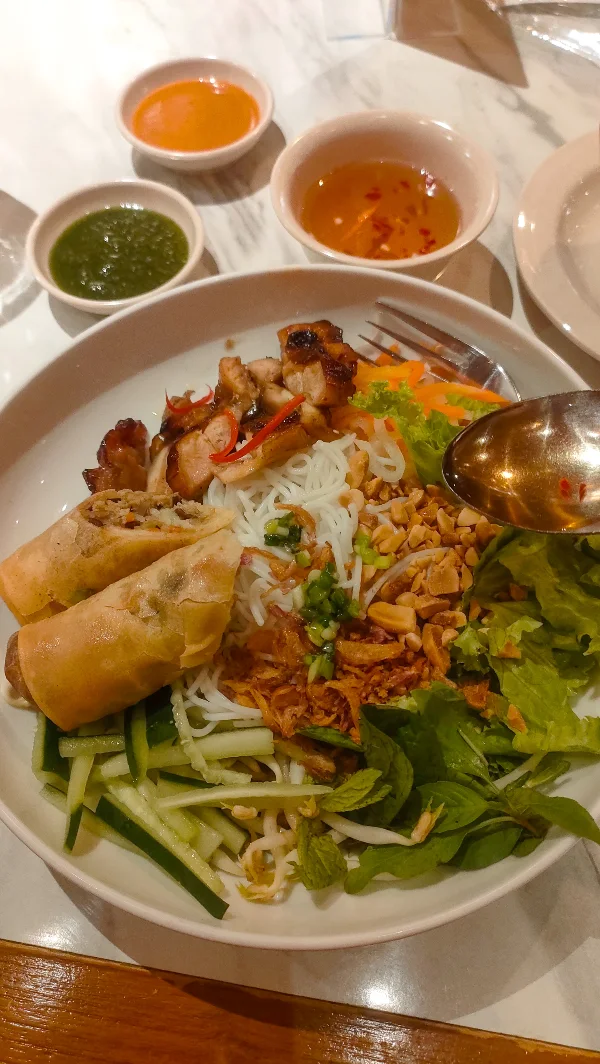
For example, if your image displays a plate of vermicelli salad, I’ll create alt text like “A vermicelli salad which is dished with spring rolls and roasted chicken.” The search engine will prioritise your image to those people who need a specific vermicelli salad with chicken, rather than showing other sites’ salad which has no chicken.
Consistent workflows prevent digital clutter caused by everyone uploading photos differently. I maintain file hygiene by auditing existing visuals, identifying bloated files, and replacing them with optimised versions. New menu photos will follow the same standards, and seasonal specials will be updated without slowing your site.
Ongoing maintenance prevents slow degradation that happens when optimisation becomes a one-time chore. Proper alt-text also boosts accessibility for visually impaired customers and improves SEO.
It’s a double win for accessibility and search visibility.
Vicky Laurentina, 2025
Stop Losing Orders to Loading Screens
Now that you understand the mechanics. But the strategic question remains, is this worth the investment? Let’s look at the risk profile and expected returns.
Risk here is unusually favourable. Optimisation doesn’t require platform migrations, and you’re not gambling on algorithm changes or betting on unproven channels. But you’re eliminating measurable friction in an existing conversion path.
A supermarket saw a 2% increase in conversion rate for every 1-second improvement in page load time. That’s repeatable, compounding revenue recovery.
By optimising images routinely, your food can stay gorgeous, and your pages can remain snappy. Ultimately, your diners can get through checkout.
Your salads are actually already better than your competitors’, but your menus just need to load faster. Faster images mean more completed orders and less wasted ad spend.
Need help from someone who understands restaurant content without the corporate buzzword bingo? I can give you practical guidance to keep your site moving as fast as your kitchen during rush hour.

I am an SEO specialist with experience as a content strategist. I blog about planning and optimising content for marketing insights. See my profile page to find out more about me. Follow me on LinkedIn and Instagram.
Kalau aku memposisikan diri sebagai pembeli, emang pas masuk website restoran ya pas sedang lapar. Rencana ingin cari makanan yang sesuai selera gitu.
Terus kalau pas cek websitenya ternyata loading lama buat buat foto-fotonya, aku mah langsung keluar dari website tersebut. Pindah cari website restoran lain yang buka fotonya lebih singkat.
Jadi, kalau menurutku. Emang pihak restoran yang memutuskan untuk membuat website kudu banget mengoptimasi foto-foto buat websitenya.
Ini bisa dimengerti. Memang responsmu meninggalkan website ketika loadingnya lambat itu alamiah banget terhadap gangguan digital.
Dalam konteks website restoran, keleletan 1 detik bikin restoran itu kehilangan potensi transaksi dari calon pembeli yang udah siap mau makan di situ. Sayang bener banyak pemilik restoran lebih fokus sama desain website ataupun desain fotonya. Padahal performa foto ketika tampil di website itu menentukan apakah pengunjungnya jadi beli atau enggak.
Akhir-akhir ini saya lagi malas edit foto dong, alhasil itu yang diupload keknya berat semua, hahaha. Biasanya saya kecilin sih ukurannya, tapi memang gambarnya jadi jelek kualitasnya, kayak pecah-pecah gitu.
Jadi kadang saya akalin dengan upload ke WA dulu dengan kualitas standar, biar sizenya jadi lebih kecil.
Tapi baca ini, pengen coba upload foto dengan format WebP deh
Banyak orang belum nyadar, ngecilin foto dan ngecilin kualitas itu dua hal yang berbeda. Kalau gambar sampai pecah setelah dikecilin, itu bukan karena ukurannya kecil. Biasanya, itu karena problem alat pengecilnya yang terlalu agresif ketika mengompresi fotonya.
Idealnya sih ya, alurnya begini, tentukan dulu dimensi hasil akhirnya nanti, misalnya mau lebarnya berapa pixel. Terus resize. Kemudian kompresi sampai maksimal 100 kb, kalau memang bener ini foto yang mau dikecilin, bukan infografis.
Ah ya setuju banget kalau gambar di website itu harus dioptimalkan supaya halaman situs/blognya lebih cepat dan efisien. Walau, tetap gambarnya harus enak dilihat gak boleh pecah. Jujur aku pernah kejebak dengan penggunaan gambar yang pecah ini, sebab ada yang bilang kalau gambar ukuran kecil lebih memudahkan akses dan juga lebih aman dari pembajakan. Tapi aku nyerah sebab tampilan blog jadi jelek banget. Jadinya ya tetap diperkecil tapi gak sampe ke ukuran paling bawah. Lebih ambil opsi tengah.
Soal keamanan dari pembajakan, sebenarnya solusi yang lebih efektif adalah jagain value dari brand blogmu sendiri. Terus penting juga untuk nyebarin konten blogmu ke lebih banyak orang. Maka orang-orang yang mengenali brand blogmu ini yang akan jagain fotomu dari pembajakan.
Percuma ngecil-ngecilin foto juga, pasti tetap akan bisa di-download kalau memang pembajaknya udah niat banget.
Iya nih sekarang aku juga rajin optimasi gambar, mbak. Cuma kadang pas diresize itu kadang suka pecah gambarnya jadi kadang nggak bisa yang benar-benar sampai kecil banget resizenya
Memang gambar bisa pecah karena detailnya hilang. Detailnya hilang karena gambarnya terkompresi terlalu banyak. Makanya, yang diatur itu mestinya ukuran dimensinya dulu, baru dikompresi sampai batas yang bisa diterima, misalnya 100 kb. Yang sering kurang bijak itu langsung nyetel ukuran ke 100 kb tanpa setel ukuran dimensi, tentu saja hasilnya jadi pecah.