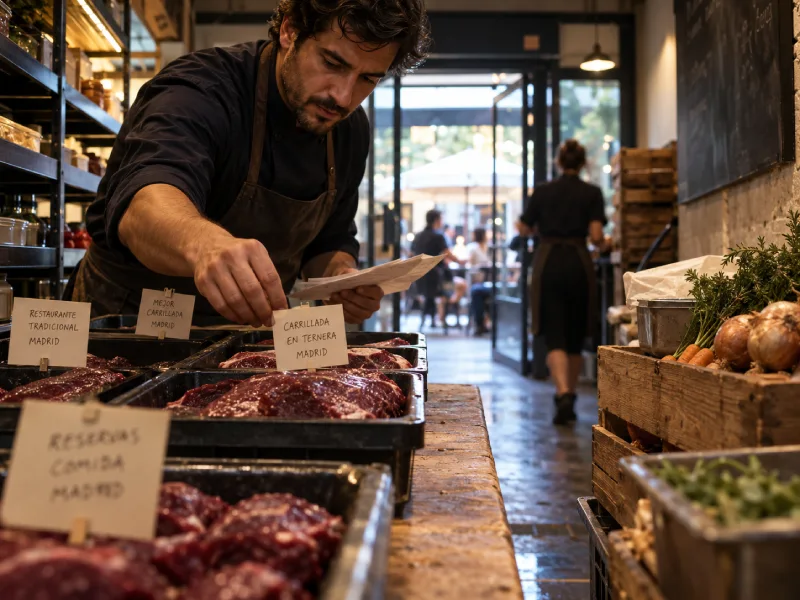
Don’t be surprised if your restaurant marketing report shows high website traffic but low checkout rates. Your website might’ve attracted a lot of visitors, but they didn’t land on the pages that should attract them to walk to your place. Your SEO might appear successful, but your eatery still lacks visibility online, which you can actually monitor from Google Search Console, a.k GSC.
GSC provides query data that shows whether your website’s Google presence is driving people to book a table. You can understand these queries from the perspective of queries as metrics and converting them into operational signals. Understanding them correctly will help you improve your marketing decisions.
2 Perspectives Explain Every Query
Queries in GSC show how our page links appear in Google, including their frequency and where Google users engage with them. As an SEO specialist, I also use these phrases to mark what additional content I need to create and what content aspects need monitoring over time.
Queries Describe Search Visibility
5 metrics in GSC that measure each query:
- Query: A phrase typed by a Google user that triggers the appearance of a website link in its search engine results page (SERP).
Following’s a query example. Your restaurant serves carrilladas, and it’s located in Madrid, and Google finds your business website link relevant to its users. So in your GSC report, you’ll find queries like “where to eat carrillada en ternera madrid” or “carrillada en ternera delivery near casa de campo.” - Impression: The number of times your links were displayed for a query in the Google SERP.
For example, if a query received 100 impressions in a month, it means your website links were seen 100 times every time someone typed the query into Google. Being seen frequently brings you closer to conversion. - Click: The number of times your links were clicked each time they appeared in the Google SERP for a given query. This metric records whether a Google user attempted to interact with your business after typing a query.
- Click-through rate: The percentage of impressions that result in a click each time your links appear for a query. This CTR indicates whether your title (or meta description) attracts the Google community to visit your website.
- Average position: Your website links’ average rank in the Google SERP for every query.
For example, if your average position is 2 for the “where to eat carrillada en ternera madrid” query in the current month, this means that out of the many website links appearing in the Google SERP, your links generally secure the 2nd rank.
This position gives the business behind the link more potential to attract customers to their establishments.
However, if your average position is 11, this means your links are on the Google SERP’s 2nd page. My observations across many GSC reports show that almost all links on the 2nd page generate very little visibility.
Pay attention to whether your GSC report displays the queries that typed by people who desire your menu.
Vicky Laurentina, 2026
If so, you should be happy to find out if more people are eating your menu without being driven by ads.
However, if not, it means that your service is missing its popularity on Google. You need to put more effort into marketing your service.
Operational Signals Guide Marketing Decisions
From these queries, I gain insights to optimize a brand for easier revenue generation.
5 query-related indicators that influence website decisions
- High average position, but low CTR, and no AI Overview result for this query.
Parameter: Your average position is between 1 and 3, but your CTR is less than 10%, even though there’s no AI Overview result in the SERP for this query.
This means that your website actually meets Google users’ needs, but they’re indifferent to your page’s title or meta description.
Generally, when faced with this situation, I will revise the title and meta description to better align with those people’s needs. - High impressions, lower clicks.
Parameter: A query’s impressions tend to remain fairly high over 2 periods, but this period’s clicks are lower than the previous one.
It usually happens because another website (except ours) is more relevant to the query, so Google community is more interested in clicking the other link instead of ours.
I follow up by auditing the competitor’s content to find its strengths in addressing the query, then improving my own website content to outperform the competition. - Presence of branded queries.
Parameter: Any queries containing your brand name.
This situation indicates that Google users are already familiar with your brand and want to interact with it.
I follow up by ensuring the query leads to a page that encourages a transaction. If not, I add some incoming links to the page while confirming the page’s relevance to the query. - No branded queries.
Parameter: Your brand name is unlisted in the query list.
You can interpret it as no one has searched for your restaurant.
Solve this problem by inviting other websites to mention your services or products in their discussions. I consider this effort successful only if branded queries have appeared. - Clicks dominated by non-branded queries.
Parameter: You can see this when your non-branded queries generate more clicks than your branded queries.
This means your brand is being approached more by people searching for general information than by those intending to purchase your products or services. In fact, I interpret these genuine users as potential new customers.
Follow this up by editing the pages that are visited by these non-branded query visitors. Inside the page, put an internal link which directed to money pages.
Turn Query Reports into Decisions
To improve your restaurant business, you can use Google Search Console query data by identifying branded and non-branded queries, then comparing their metrics.
Start by finding branded ones using the following steps:
- Open Google Search Console > Performance menu > Queries tab.
- Tap Add Filter > Queries.
- Select Branded queries > Apply > identify incoming branded queries (if any). You can see here whether you’ve received branded queries. If you have, congratulations. If not, start working harder to make your service more well-known.
- Navigate to Impressions > sort based on impressions > tap Average Position > identify each of your queries’ average position. You can see here if your queries have achieved a high average position.
- Tap CTR > identify the CTR of each of your queries. If the average position is high and the CTR is also high, then you’ve nailed it.
- If your average position is high but your CTR is still low, click on the query > navigate to Pages > identify pages that are actually relevant to this query. Then, you need to improve the page’s title and meta description to make them relevant to the people searching for that query.
I once worked with a brand that stocked 7 variant products, but only 5 of them show up when customers searched online. The one customers didn’t discover, weren’t earning money. What did I learn from the experience?
| Menu Item Status | Current Situation | Next Step to Protect Revenue |
| Known in Google | Customers search for it by name in Google. It appears in your GSC queries. Bookings and orders come through for this dish. | Monitor this monthly. This dish is earning money. Keep investing in this visibility. |
| Unknown in Google | Nobody searches for it by name. It doesn’t appear in your GSC at all. You stock it regularly, but sales stay flat. | 1. Create dedicated content about this dish. 2. Encourage food bloggers and review sites to mention it. 3. Check your GSC again in 90 days. If no searches appear, decide whether this dish deserves menu space. |
Meanwhile, another GSC metric, clicks, is currently a premium result of a query because it indicates traffic and is more likely to occur when the person typing the query is looking to buy something. However, only certain types of traffic can increase your restaurant’s revenue, and I’ll explain this in the following section.
Valuable Queries Create Better Visitors
Traffic is considered meaningful for a restaurant if it occurs on the transaction page and can come from a variety of queries, especially branded transactional queries. 3 query types that can generate traffic are informational, commercial, and transactional queries.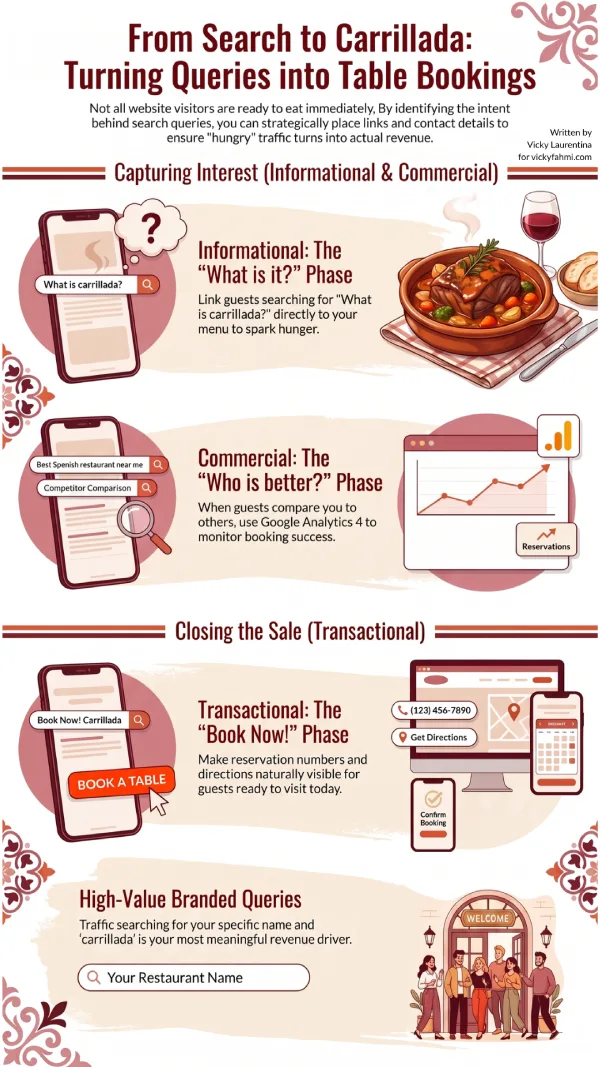
Informational Queries. Typed by people who are just looking for information, not intending to buy anything. Examples:
- “what is carrillada en ternerra”
- “how to cook carrillada en ternerra at home”
- “carrillada al vino tinto vs en salsa”
Commercial Queries. Typed by people interested in a particular dish but still want to compare the service of several restaurants. For example:
- “which carrillada en ternerra is delicious, restaurant alvarez or marcos”
- “carrillada en ternerra alvarez vs marcos eatery”
- “most delicious carrillada en ternerra in Madrid”
Transactional Queries. Typed by people looking to purchase services. For example:
- “buy carrillada en ternerra family portion Alvarez”
- “drive to Alvarez carrillada”
- “Alvarez carrillada reservation number”
How to optimize queries to get more quality restaurant visitors:
- Classify the queries in the GSC report.
Find the query list, then classify each query as transactional, commercial, or informational.
- Identify if the queries have driven audience to the money page.
If visitors have landed on the money page, ensure they’ve navigated to order the menu or book a table. When they haven’t navigated, investigate the user behavior in GA4.
- Act if the money page has not attracted transactional queries.
Optimize the page by ensuring the words in the query are naturally visible to hungers.
- Monitor if the transactional queries still land on non-money pages.
Edit each page’s copy to lead the visitors to the money page.
- Monitor whether commercial or informational queries still drive the audience to the article page.
Ensure the article page has led the audience to the money page by an internal link, and the landed audience has clicked the link.
From this, we see how useful GSC is in showing beneficial queries for a restaurant’s business. However, it turns out that this GSC work still needs to be complemented by GA4, because GA4 helps us see whether those clicks actually generate more invoices.
I’ve detailed how to identify visitors in GA4 who actually reach the most important pages on a website. Find details on tracking quality traffic in Google Analytics 4 on the page below.
This blog post was published on June 5th, 2022, and updated on August 6th, 2026, to give you the latest insights.

I am an SEO specialist with experience as a content strategist. I blog about planning and optimising content for marketing insights. See my profile page to find out more about me. Follow me on LinkedIn and Instagram.
Okrai. Makin paham eike dengan situasi dan kondisi queriku kudu digimanain..
Thank you, mbak vicky. Hehhehe
Allright, Yun!