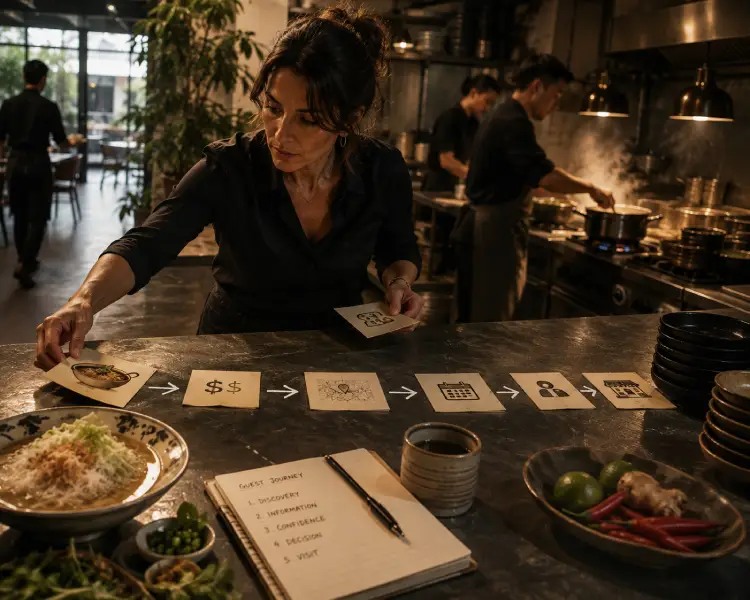
Finding an eatery and determining to eat there are 2 different things. The public might stumble upon an eatery’s website or accidentally see a Reel about it, but that doesn’t automatically attract them to visit, because there’s still such a gap.
The gap between discovering a restaurant and deciding to dine occurs on the restaurant’s website, and sometimes the business owner isn’t even aware of it. This gap arises when people visit the website but don’t find what they want, so they leave. Then, what exactly is it that website visitors expect, but don’t find on the website, and thus lose interest in dining there?
Customer Expectations after Restaurant Discovery
I see that customers predict practical information that helps them assure themselves that the restaurant truly meets their needs. Once they’re convinced, they’ll take the next step in transacting with the shop, whether by visiting the place by themselves or making a reservation. But if they’re unsure, they’ll quickly leave the website and possibly forget about the brand.
Essential Information Customers Verify First
The following 3 items are generally checked by customers before anything else, and are the first filters that help them decide whether they’ll drop in or not.
Menu
They desire to know what to expect before they arrive, so they look for:
- Menu options that meet their needs,
- Signature dishes,
- Items that may only be available once a year.
The menu page should answer the customer’s primary question: Does this eatery have anything I really want to devour or drink?
If this question isn’t answered, visitors will stop reading the website.
This week I opened a restaurant’s webpage and read its menu. As a mother, I naturally looked for items that would suit my son.
It turned out the website just listed 6 foods, and none of them suited my son’s tastes. I was confident the business actually served 50-60 dishes, and he’d surely enjoy 1 or 2 of them. I left the website then.
If your webpage is like that, you could still be confident that I’d dine at your place someday. But I’d only do it if I had no other options. But let me ask, would you like to be the last option?
Prices
When a website lists menu prices, customers become more assured regarding whether they are likely to drop in. More specifically, these are the things they look:
- each item’s price
- the discounted price for multiple quantities of an item
- the price if ordering a food-and-drink package.
I experienced this myself: the restaurant’s page that I mentioned earlier [which just listed 6 dishes] excluded its prices. I became even less confident that the place fit my budget, and I avoided going there since I hesitated to waste time driving to an eatery I couldn’t afford.
The business might’ve served an affordable menu. But because the prices were excluded, I didn’t know and wasn’t interested in eating there.
Once, I also came across a cafe’s website that listed food prices. At first glance, they seemed within my budget. When I dropped in to eat, I had to order a drink as well, since the soup naturally made me thirsty.
I only ordered mineral water, but its price was too high. Funnily enough, the website deliberately doesn’t list beverage prices. That experience put me off eating there, even though the food was delicious.
Location
Access ease is a key factor in deciding whether to visit a restaurant. People typically look for:
- a clear street address
- nearby landmarks that help them visualize their route
- parking availability, especially if the spot is located in a busy area.
Psychologically, a webpage that displays photos of the place’s proximity to a particular landmark is likely to attract more visitors than one that doesn’t.
In some cities where public parking is expensive, if eating somewhere puts them at risk of paying for parking, they’ll be less likely to eat there. However, if the business targets diners who typically drive their own cars, its page will be much more appealing if it includes photos showing free parking.
Useful Information That Completes the Decision
In the next layer, they conclude whether the restaurant is suitable for their specific situation.
Reservation
Sometimes they are suspicious that eating somewhere requires a queue for seating. Therefore, while they view a restaurant’s webpage, they seek:
| Verification Criteria | What Customers Evaluate | Conversion Impact |
| Booking method accessibility | Online reservation system, phone booking, walk-in availability | Customers unable to identify a frictionless booking path abandon the conversion funnel at this stage. Opaque or multi-step reservation processes correlate with higher abandonment rates. |
| Reservation policy constraints | Minimum party size requirements, advance booking windows, deposit or cancellation policies | Policy ambiguity increases perceived transaction risk. Customers unable to verify policy compatibility with their dining situation exit before attempting reservation. |
| Queue probability and management | Expected wait times during peak hours, reservation guarantee status, standby procedures | Uncertainty about seating availability drives abandonment, particularly for time-sensitive or occasion-based dining. Transparent wait-time communication increases willingness to proceed. |
However, if these reservation details are unavailable on any webpage, customers will be reluctant to take the risk of dropping in, as waiting in line will ruin the experience.
Customer Needs
For several customers, there are certain requirements regarding meals that are absolutely non-negotiable. They’re looking for:
- Children’s menus, which are generally sought by family guests.
- Non-spicy menus. This is often needed by those who prefer to avoid foods that can cause stomach problems.
- Menus that don’t contain particular ingredients.
- Easy access for guests with mobility limitations, like those who come with strollers or wheelchairs.
If they can’t confirm on the webpage that these requirements are met, they’ll cancel their visit.
I’ve experienced this myself.
Once, I wanted to dine with my son, I delayed a stopover to an eatery. It’s because when I read on the website, all the photos showed the meals topped with chili. My son certainly could nibble nothing there because he couldn’t handle spicy food at the time.
The place may keep serving non-spicy meals, but I didn’t want to take the chance of going there and asking questions before ordering.
Vicky Laurentina, 2026
Furthermore, some individuals in this world have preferences against foods containing certain elements. Several religionists don’t consume pork, while other believers refuse to enjoy animal products.
If a business still targets them but doesn’t state on its page that it reserves pork-free or at least vegetarian-friendly food, they’ll likely avoid that business.
In fact, restaurants often answer these questions on their webpage. The problem is, the information isn’t easily accessible to visitors, so they can’t find the answers and decide to leave the page [and abandon the brand].
Signs Your Website Interrupts Reservations
As long as a restaurant website can direct visitors to the transaction page, the business can be confident that visitors will attempt to order. This attempt can involve stopping over in person or booking.
However, there are certainly things that can hinder visitor engagement, causing those who come solely to learn about the restaurant’s brand to end up deciding to delay their dining. If restaurants understand what reduces customer interest, they can improve their website and generate demand.
How to tell whether a website guides visitors toward booking a table:
- Check whether important details are easy to find.
Examine if:
– The menu is visible without leaving the homepage.
– Prices are readily available without clicking on any images.
– The location is clearly displayed.
– Reservation instructions are readily accessible. - Evaluate whether visitors can navigate the website well.
They need to be assured that when they visit a page solely to introduce the restaurant, they are also guided to the money page. Here are the things to check:
– Ensure visitors only need to make a maximum of two clicks to reach the Order page.
– Align navigation labels with the visitor’s thought process when deciding to eat. For example: If a visitor lands on a page about the deliciousness of beef soup, I include a link in the page to direct the visitor to the page regarding Beef Soup product.
– Provide clear labels on each page to indicate its content. For example: The page explaining how to book a table should be labeled Booking, not Miscellaneous. I’ve never seen anyone wanting to eat remains interested in clicking on something labeled Miscellaneous.
– Ensure the page loads within two seconds. My observations with various SEO tools show that if a page takes longer than two seconds to load, visitors bounce. - Assure visitors are directed to the transaction page.
The following are some items to check:
– Naturally, every word in the content is structured to draw website visitors to the ordering page.
– Pages containing menu information should only require one click to navigate to the ordering page. As much as possible, avoid requiring visitors to scroll to the Order button.
– The call to order occurs at the moment the visitor intends to order, not waiting until the bottom of the page. - Check with a user behavior analytics tool.
This kind of tool features session recordings and heatmaps that help website owners see how visitors interact with their pages.
If the recording proves that the visitors of the particular informational page have tapped the button to your money page, then you’ve guided the audience toward booking a table.
Now, you know what target customers look for as a website visitor, and how the mere presence of complete data can still make them abandon your eatery.
However, what I’ve described above is still a common occurrence in many restaurants. Every restaurant owns a set of issues as to why their website visitors fail to convert into actual guests.
For example, someone is looking for a chicken restaurant with an eco-friendly chicken supplier. You might fit this consumer’s criteria, but you haven’t thought to include the organic poultry supplier on your website.
How do you find out what prospects are searching for so you can include it on your website? Find the answer on the following page:

I am an SEO specialist with experience as a content strategist. I blog about planning and optimising content for marketing insights. See my profile page to find out more about me. Follow me on LinkedIn and Instagram.